
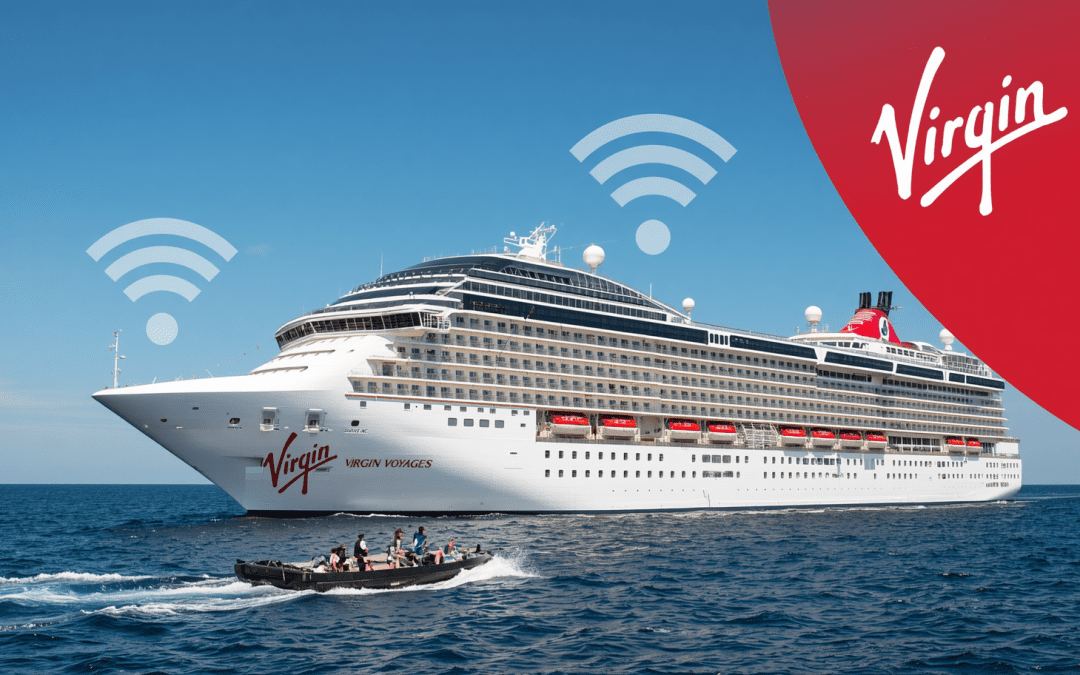
The short answer: Virgin Voyages WiFi is included free with every fare on every ship — no separate package required. It's fast enough for messaging, social media, email, web browsing, and most video calls. Streaming HD video (Netflix, Disney+, YouTube) works on sea days when the ship isn't crowded but can get choppy during peak evening hours. Speeds average 15-30 Mbps download in 2026, which is genuinely good for an at-sea satellite connection. You can connect multiple devices to the same account.
Cruise WiFi has historically been terrible. Slow, expensive, capped at a single device, blocked from streaming. Virgin Voyages takes a different approach — built-in, unlimited, multi-device, no upsell. It's one of the genuine perks that gets overlooked when comparing Virgin to other cruise lines. Here's exactly what to expect from the on-board WiFi in 2026, and the realistic tradeoffs.
What's actually included with Virgin Voyages WiFi
- Speed: 15-30 Mbps down, 5-10 Mbps up on a typical day. Higher on sea days when the ship is at full antenna alignment.
- Device limit: Multiple devices per Sailor — phones, tablets, laptops. Each Sailor has their own login.
- Coverage: Every cabin, public space, and pool deck. Some thick-walled interior areas (like deep inside the Manor nightclub or certain engineering-adjacent spaces) can get weaker signal.
- Cost: Included. There is no paid upgrade tier in 2026.
- Streaming: Most platforms work most of the time. Netflix, Disney+, Hulu, Max, YouTube, and Apple TV+ all stream in HD on sea days. 4K is dicey but possible.
- Video calling: WhatsApp, FaceTime, Google Meet, and Zoom all work. Latency can spike during evening peak hours.
- Speed-restricted services: VPNs, some torrent clients, and large file downloads (>2GB) may get throttled. This is normal for satellite-based cruise WiFi.
Virgin uses Starlink as the backbone for most of its WiFi on the modern fleet (Scarlet Lady, Valiant Lady, Resilient Lady, Brilliant Lady), which is why speeds in 2026 are dramatically better than they were on the same ships in 2023.
How to connect to Virgin Voyages WiFi
Connecting takes about 90 seconds and you do it once per device. The setup:
- Board the ship and turn on WiFi on your device.
- Connect to the network named "VVNet" (or your specific ship's variant — the welcome card in your cabin lists it).
- Open any browser. You'll be redirected to the Virgin Voyages WiFi portal.
- Log in with your Sailor account credentials (same login as the Sailor App).
- Accept the terms. You're connected.
The login persists for the duration of your sailing. Each device you connect counts against your Sailor's allotment, but Virgin doesn't enforce a hard limit — most Sailors connect a phone, tablet, and laptop without issue.
Is the WiFi fast enough for streaming?
For the most part, yes. Here's what we've consistently seen in 2025-2026:
- Netflix HD: Streams reliably on sea days, 90% reliable in cabins evenings.
- Disney+ HD: Same as Netflix.
- YouTube 1080p: Works fine in most areas. 4K can stutter.
- Spotify and Apple Music: Streams perfectly, audio doesn't stress the bandwidth.
- Live sports (ESPN+, NBA League Pass, etc.): Mostly works on sea days. Less reliable on busy port-arrival evenings.
- FaceTime / WhatsApp video: Works well most of the time. Occasional drops during peak nightlife hours.
- Zoom and Google Meet: Work well for 1:1 calls. Larger meetings can lag.
Sea days are noticeably faster than port days, because half the ship is on shore and bandwidth is split among fewer Sailors. If you want a great streaming experience, do it during the day on sea days or in the early morning before the ship wakes up.
Working remotely from a Virgin Voyages cruise
If you're considering using a Virgin Voyages cruise as a working "workation," the WiFi can handle it for most knowledge workers. We've personally taken Zoom meetings, sent large email attachments, edited Google Docs collaboratively, and uploaded short video files from the cabins.
What works well: email, Slack, Teams chat, Notion, Google Workspace, Office 365 web apps, light video calls.
What might frustrate you: VPN-dependent enterprise apps (corporate VPNs throttle), large file uploads (anything over 1GB takes a while), live trading platforms (latency is the issue, not bandwidth), and bandwidth-heavy creative tools like Figma multiplayer with many participants.
For peace of mind, do critical meetings in your cabin on sea days. Public-area WiFi is great but can be inconsistent during pool deck rush.
Speed differences by region
Caribbean
Strong Starlink coverage. Some of the most reliable WiFi on the fleet. Sea days in the Bahamas region routinely clock 25-40 Mbps.
Mediterranean
Slightly more variable. Coverage is good in most of the western Mediterranean. The Greek islands and Adriatic occasionally have brief latency spikes when the ship maneuvers through narrow channels and the satellite link reorients.
Alaska
Brilliant Lady's 2026 inaugural Alaska season will be the first real test of Virgin's WiFi at high latitudes. Starlink coverage in southeast Alaska is generally strong; we'd expect 15-25 Mbps with occasional drops when sailing through deep fjords. For more on what to expect, see Virgin Voyages Alaska 2026 Complete Guide.
When the WiFi isn't working well
It happens. Satellite WiFi has bad days. Quick fixes that usually work:
- Disconnect and reconnect. Toggle WiFi off and back on. Often resolves within 30 seconds.
- Switch devices. If your laptop is slow, check whether your phone is slow too. Sometimes the device, not the WiFi, is the culprit.
- Move locations. Cabin WiFi can be weak deep in the ship's interior. Walking to a balcony, the atrium, or the pool deck usually picks up a stronger signal.
- Wait it out. Peak hours (7pm-11pm in port, 8pm-10pm at sea on busy nights) get the slowest speeds. Try again at 6am or in the afternoon.
- Visit Sailor Services. Deck 5 has a help desk. They can verify there's no account-level issue or reset your login.
How Virgin WiFi compares to other cruise lines
- Royal Caribbean (VOOM): Three paid tiers, generally $20-30/day per device. Slower than Virgin on most ships, though new Icon-class vessels are catching up.
- Celebrity Cruises (Xcelerate): Two paid tiers, $20-30/day. Speed similar to Virgin on a good day, faster on new ships, slower on older ones.
- Norwegian Cruise Line: Tiered packages, $15-30/day. Reliable but limited streaming on the basic tier.
- Disney Cruise Line: Tiered packages, very expensive ($40+/day for the streaming tier). Coverage is good.
- Carnival: Three tiers, premium streaming is $20-25/day. Quality varies dramatically by ship age.
Virgin's included WiFi is one of the strongest comparison points against traditional cruise lines. For a couple on a 7-night cruise, the WiFi alone represents $200-400 in value vs paying for it on a comparable line. See more on what's included in our Is Virgin Voyages All-Inclusive guide.
Ready to test the WiFi yourself?
Free, fast, multi-device WiFi is one of those small Virgin Voyages perks that adds up over a week at sea. If you've been on the fence about Virgin because you're worried about staying connected, the WiFi is genuinely one less thing to think about.
Browse and book Virgin Voyages cruises online with Pixie Vacations — same Virgin pricing, with a real travel agent (who's actually sailed VV) backing your booking. Or call 678-815-1584 from our Canton, Georgia office to talk it through.
Virgin Voyages WiFi FAQ
Is WiFi free on Virgin Voyages?
Yes. WiFi is included with every Virgin Voyages fare at no extra cost. There's no upgrade tier or paid package — the included WiFi is the only tier and it covers all standard internet use.
How fast is Virgin Voyages WiFi?
In 2026, speeds average 15-30 Mbps download and 5-10 Mbps upload across the fleet, powered primarily by Starlink. Sea days run faster than port-arrival days; mornings run faster than evenings. Most Sailors find it fast enough for streaming HD video, video calls, and remote work.
Can I stream Netflix on Virgin Voyages?
Yes. Netflix, Disney+, Hulu, HBO Max, YouTube, and Apple TV+ all stream reliably on Virgin's included WiFi. HD playback works most of the time; 4K can stutter during peak evening hours.
How many devices can I connect to Virgin Voyages WiFi?
Multiple devices per Sailor. Virgin doesn't enforce a strict device cap — most Sailors connect a phone, tablet, and laptop simultaneously without issue. Each Sailor uses their own login.
Does Virgin Voyages WiFi work in cabins?
Yes. Every cabin has solid WiFi coverage. Some deep-interior cabins on lower decks can get weaker signal than oceanview or balcony cabins, but no cabin is a complete dead zone.
Can I work remotely from a Virgin Voyages cruise?
Yes, for most knowledge work. Email, Slack, Teams, Google Workspace, and standard video calls all work well. VPN-dependent enterprise apps and very large file uploads can be inconsistent. Sea days and morning hours are the best windows for critical meetings.
Does the WiFi work in port?
Yes — the ship's WiFi extends a few hundred meters from the dock. Once you walk into town, you'll need port WiFi or local cellular. Re-board the ship and you're back on Virgin's WiFi automatically.
The bottom line
Virgin Voyages WiFi in 2026 is the best free internet at sea. Fast enough to stream, work, video call, and post — included in every fare, on every device, on every ship. It's not perfect, but it's a quiet luxury that other cruise lines charge $25/day for.
Ready to sail? Book Virgin Voyages through our online cruise booking engine or call 678-815-1584. From Canton, Georgia to the pool deck of Scarlet Lady, see you on board.

Ready to Book Your Virgin Voyages Cruise?
Let Pixie Vacations plan your perfect voyage — expert advice, no booking fees, and personalized service from a Virgin Voyages Top 100 First Mate.
Or call us: 678-815-1584