
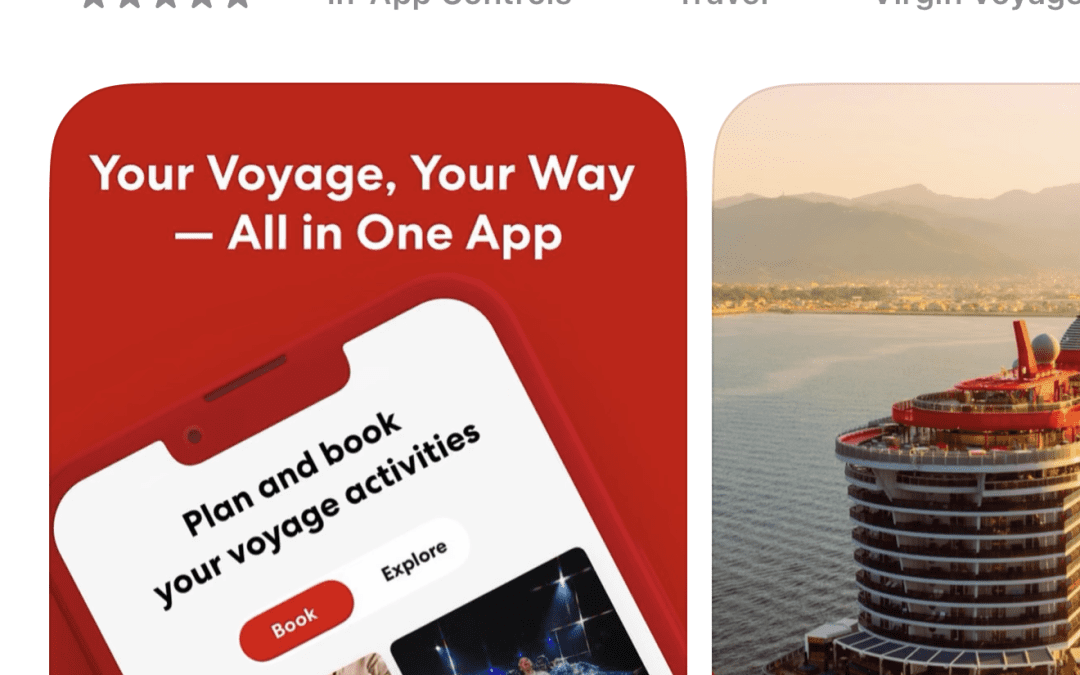
The short answer: The Virgin Voyages Sailor App is the on-board hub for everything you do during a cruise — dining reservations, daily schedule, account folio, drink and excursion ordering, and even unlocking your cabin door. It's free, available on iOS and Android, and you only get full access once you board and connect to the ship's WiFi. Pre-cruise functionality is limited to account info, voyage countdown, and check-in. If you've downloaded it and feel like it does nothing — that's normal. It springs to life on embarkation day.
The Virgin Voyages app is one of the most confusing parts of pre-cruise prep for first-time Sailors. You download it, you log in, and you get… not much. Then you board the ship and suddenly it runs your entire week. Here's exactly how it works in 2026, what each feature actually does, and the troubleshooting steps for the issues we hear about most often from Sailors who book through Pixie Vacations.
What is the Virgin Voyages Sailor App?
The Sailor App is Virgin Voyages' official onboard companion app. It replaces the old paper daily program, the cabin TV channel guide, and most of the front-desk interactions you'd have on a traditional cruise line. Once you board, the app is how you:
- Book and modify dining reservations at the included restaurants
- Check the daily entertainment, fitness, and pool deck schedule
- View your folio balance and recent charges in real time
- Order drinks to be delivered to where you are on the ship (via Shake for Champagne and similar features)
- Book shore excursions and add-ons
- Open your cabin door (digital key, optional)
- Chat with other Sailors in your party
- Order room service
- See the running menu for The Galley quick-service venues
- Track your Voyage Well Rewards points
It's required for some functions (like all dining reservations after you board), and optional for others (like the digital key — you can still use your Sailor Band wristband or physical card).
How to download the Virgin Voyages app
- iOS: Search "Virgin Voyages" in the App Store. The icon is the red Virgin Voyages V on white. Developer listed as Virgin Voyages.
- Android: Search "Virgin Voyages" in Google Play. Same icon, same developer.
- Cost: Free.
- Compatibility: iOS 15+ and Android 8.0+ as of early 2026. Older phones still work but lose some features (like the Shake-for-Champagne motion gesture).
Download it at least a week before sailing. You'll need to verify your account and complete the digital check-in inside the app — this saves 20-30 minutes at the terminal.
What the app does pre-cruise (and what it doesn't)
This is where most Sailors get frustrated. The app's pre-cruise functionality is intentionally limited. Here's what works at home, and what waits until you board:
Available pre-cruise:
- Account log-in and reservation lookup
- Voyage countdown clock
- Online check-in and boarding-pass generation
- Pre-paid excursion browsing and (limited) booking
- Bar Tab and add-on purchases
- Passport / travel documents upload
- Loot (loyalty) balance display
Locked until you board and connect to ship WiFi:
- Daily program and schedule
- Restaurant reservations for the trip
- Folio / on-board account
- Drink ordering and delivery
- Digital cabin key
- Chat function with other Sailors
- Real-time shore excursion booking
If the app feels broken at home, it isn't — it's just sleeping. The moment you connect to the ship's WiFi network (it auto-detects), the full feature set unlocks.
The features that actually matter on board
Restaurant reservations
This is the single most-used feature. Virgin Voyages includes six specialty restaurants in your fare, but seats fill quickly. Use the app to book each dinner the moment you board. We recommend booking your top 3-4 restaurants on day one. For a deep dive on which restaurants to prioritize, see Every Restaurant on Virgin Voyages Ranked.
Shake for Champagne
The signature party trick. Open the app, give your phone a literal shake, and a Sailor in red brings a chilled bottle of bubbles to wherever you are on the ship. It's not free (it goes on your folio), but the experience is genuinely delightful. The motion gesture requires the latest app version on a phone with a working gyroscope.
The daily program
Replaces the printed cruise daily you might be used to from other lines. You'll see every show, every fitness class, every party, every guest speaker, organized by time and venue. Star events you want to attend and the app reminds you 15 minutes ahead.
Folio / your tab
Open the app, hit the folio tab, and see every charge: drinks, spa, excursions, specialty dining add-ons. Updated within seconds of each purchase. This is the single best feature for budget-conscious Sailors who want to keep an eye on spending.
Digital key
Tap your phone to the cabin door to unlock. Convenient if you've forgotten your Sailor Band, but the Band is faster and waterproof, so most Sailors stick with that.
Group chat
The app has a built-in messenger so people in your travel group can text each other without using their cellular data or a satellite messaging plan. Perfect for "meet at Manor in 10 minutes" coordination across the ship.
Troubleshooting the most common app problems
"The app shows nothing pre-cruise"
This is the #1 complaint and it's not a bug. Most features unlock on boarding. Pre-cruise you should see your voyage countdown, account info, and check-in flow. If you don't see those, see the next item.
"I can't log in"
Use the same email you used to book. If you booked through a travel agent at Pixie Vacations, that's the email we put on the reservation — check your confirmation. Reset the password from the app's login screen if you can't remember it.
"The app can't find my reservation"
Reservations sometimes take 24-48 hours to sync to the app after booking, especially for new bookings made very close to sailing. If it's been more than two days, log out completely, force-close the app, and log back in. If still missing, contact your travel agent (we can call Virgin's trade desk to manually push the reservation through).
"Restaurant reservations are gone after boarding"
You can only book restaurants on board. There's no pre-cruise dining reservation. The moment you connect to the ship's WiFi, the dining tab unlocks and shows the schedule for your sailing. Book quickly — popular slots fill within hours.
"My drink isn't arriving"
Mobile drink ordering can take 15-25 minutes during peak times (pool deck around 2pm, pre-dinner from 6-7pm). The app sends a confirmation when the order is accepted. If you haven't heard anything in 30 minutes, walk to the nearest bar and ask — there's a small chance the order timed out due to WiFi issues.
"The digital key isn't unlocking my door"
The digital key needs both Bluetooth on and the app open in the foreground. If it still doesn't work, your Sailor Band is the backup — tap it to the same RFID pad. Stop at Sailor Services on Deck 5 if neither works.
Will the app use my cellular data?
On board, the app runs on the ship's WiFi (which is included with every fare — see Is Virgin Voyages All-Inclusive). No cellular charges, no roaming fees. The app will gracefully fall back to "looking for connection" if WiFi drops, and reconnect automatically.
In port, the app keeps working as long as your phone has any internet (ship WiFi extends a few hundred meters, then you'd need port WiFi or local cellular). For sea days, no cell signal will reach the phone unless you've paid for a satellite roaming plan from your carrier.
Pro tips Sailors don't realize about the app
- Star your favorites. Tapping the star on any event, restaurant, or fitness class adds it to your personal schedule. The "My Schedule" tab becomes your personalized daily plan.
- Set up payments before boarding. The check-in flow asks you to register a credit card for your folio. Do this in the app the day before sailing — it cuts terminal time noticeably.
- Bring a portable charger. The app drains battery faster than most apps because it's polling for events and updates. Consider a small USB-C battery for port days.
- Update before you board. Virgin pushes app updates 1-2 weeks before high-demand sailing weekends. Make sure you're on the latest version when you board.
- Take screenshots of your reservations. If WiFi drops, your reservation confirmation screenshot is faster than reopening the app.
Ready to put the app to use?
The Sailor App is only useful once you've actually booked a Virgin Voyages cruise. If you're ready to find a sailing, browse and book Virgin Voyages cruises through the Pixie Vacations online booking engine. We're an authorized Virgin Voyages travel agency — same Virgin pricing, but you get a real human (who's actually sailed VV) walking your booking through.
Want to ask a question first? Reach out to Pixie Vacations or call 678-815-1584. We're based in Canton, Georgia, and we've personally sailed Virgin Voyages — so we can answer the "is this right for us" questions before you commit.
Virgin Voyages App FAQ
Is the Virgin Voyages app free?
Yes. The Virgin Voyages Sailor App is free to download on iOS and Android. There are no in-app purchase fees for the app itself — though you can charge drinks, dining, and excursions through it, all of which post to your shipboard folio.
When can I download the Virgin Voyages app?
Anytime. The app is publicly available year-round on the App Store and Google Play. Download it as soon as you book and start the check-in process about 30 days before sailing.
Do I need the app to cruise Virgin Voyages?
Strictly speaking, no — your Sailor Band wristband handles most onboard functions. But you'll have a much better experience with the app. Dining reservations, the daily program, and folio tracking are all dramatically easier with the app than without it.
Does the Virgin Voyages app work offline?
Partially. Once loaded, the app caches your schedule, reservations, and folio history for offline viewing. New actions (like booking a restaurant or ordering a drink) require connection to either ship WiFi or cellular data.
Can I book Virgin Voyages restaurants before boarding?
No. All restaurant reservations are made through the app once you board and connect to the ship's WiFi. We recommend logging in within the first hour of boarding to grab the best dining times.
Why doesn't the Virgin Voyages app work before my cruise?
It does — but only for pre-cruise features like check-in, voyage countdown, and account information. Most features (dining, daily schedule, folio, drink ordering) unlock when you connect to the ship's WiFi on embarkation day.
Can I share my Virgin Voyages app with my partner?
Each Sailor needs their own login. Linked reservations show up in both apps once you're connected as travel companions. The chat function lets you message each other inside the app — better than texting through cellular roaming.
The bottom line
Download the Virgin Voyages app the day you book. Use it for check-in. Don't be alarmed when it does almost nothing in the weeks before sailing — that's by design. The minute you connect to the ship's WiFi on embarkation day, it turns into the most-used app on your phone for the entire trip.
And when you're ready to book a Virgin Voyages cruise — or need help picking the right ship, cabin, or itinerary — use our online booking engine or call 678-815-1584. We're a Virgin Voyages travel agency that's actually sailed the ships. Safe travels, Sailor.
Booking your Virgin Voyage? It costs nothing extra to book with a Virgin Voyages First Mate - same price as direct, plus Sailor Loot and a real person to call. See how booking with a First Mate works or book Virgin Voyages online here.

Ready to Book Your Virgin Voyages Cruise?
Let Pixie Vacations plan your perfect voyage — expert advice, no booking fees, and personalized service from a Virgin Voyages Top 100 First Mate.
Or call us: 678-815-1584